Qubriux · Skellam
Try first, connect later
Qubriux is a mar-tech platform for Shopify merchants that I designed from zero. I redesigned its first run so merchants explored the product while their data loaded, instead of staring at a loader.
Role
Sole product designer
Team
CEO, 1 PM, 3–4 engineers
Timeline
2021–2022
Scope
Web app + 2 mobile apps
Areas of influence
Onboarding and first run
Objectives home page
First-run states for every feature
Highlights
+25% merchants active after 30 days
The client called out the onboarding by name
Scroll to move through the story
The merchant
Sitting on data, with no idea what to do with it.
Small and mid-size Shopify merchants with years of customer and order data, but no analytics team and no marketing playbook. Most arrived through a sales demo.
Has
Customer and order data in Shopify.
Lacks
Analytics, time, and a marketing team.
Wants
To re-engage, acquire and win back customers.
The problem
The first thing merchants saw was a loading screen.
After connecting their store, merchants waited while Qubriux imported their data. Every page said "Sit back and relax", right after a demo that promised growth.
Where they left
Analytics showed merchants dropping at this step.
Why
Support and sales calls told us: they didn't understand what they'd get, and had nothing to do while they waited.
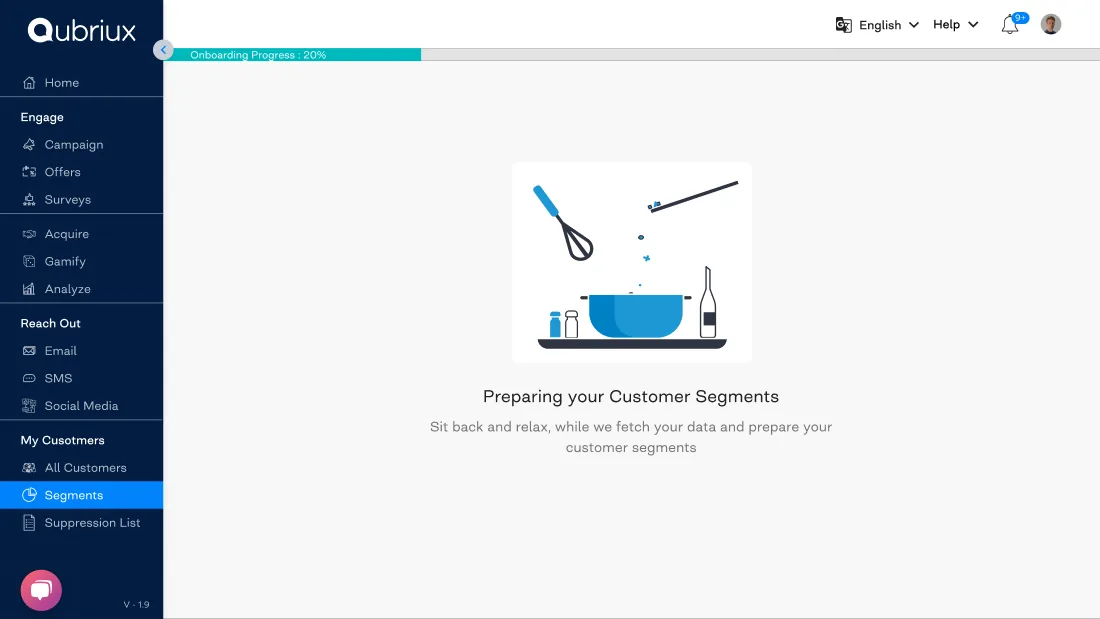
Never block
Sample data now, real data when it’s ready.
Pages fill with sample data so merchants can explore every feature, while their real data syncs in the background and replaces it at 100%.
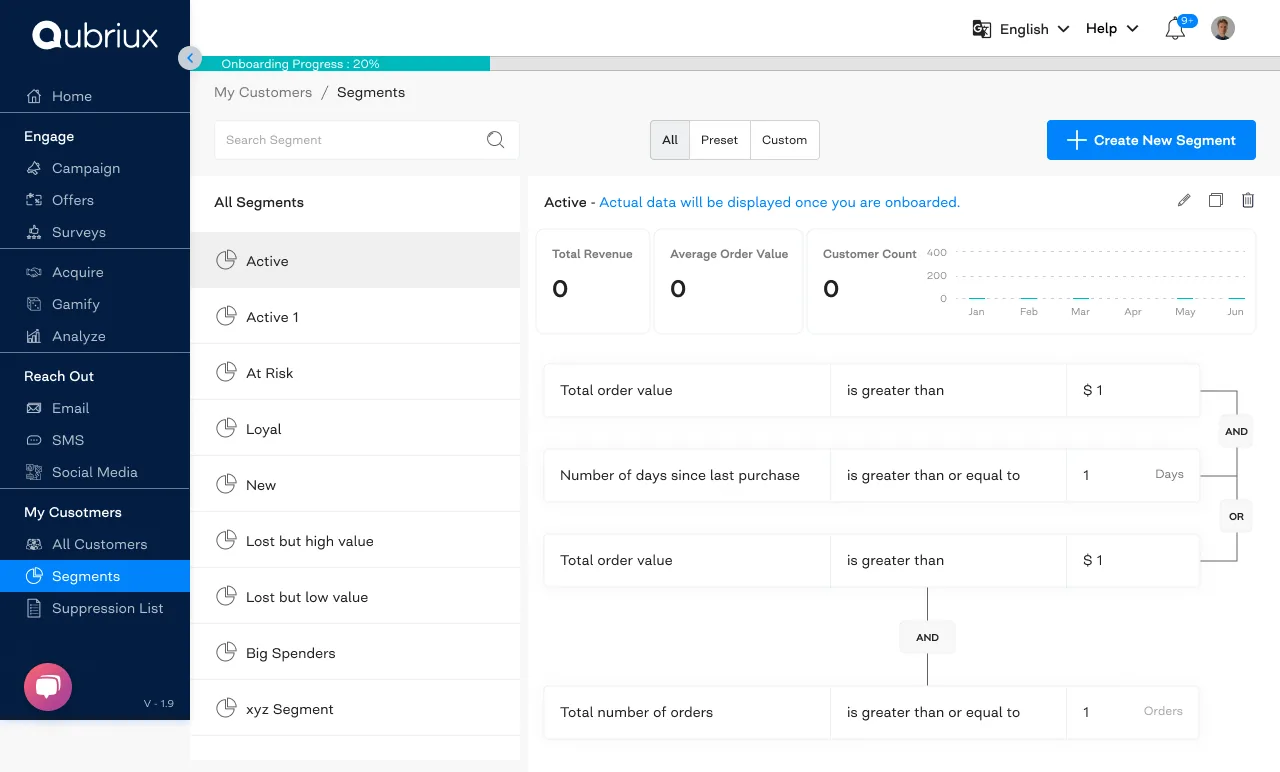
Use the wait
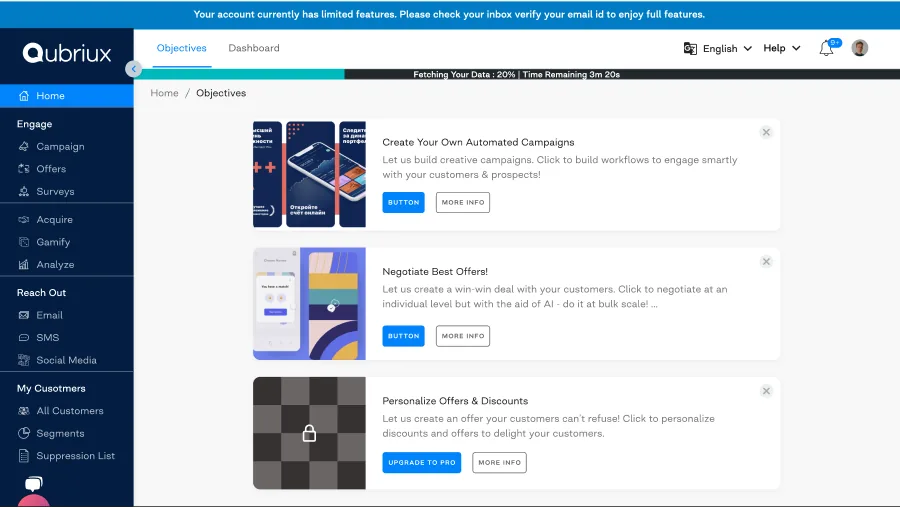
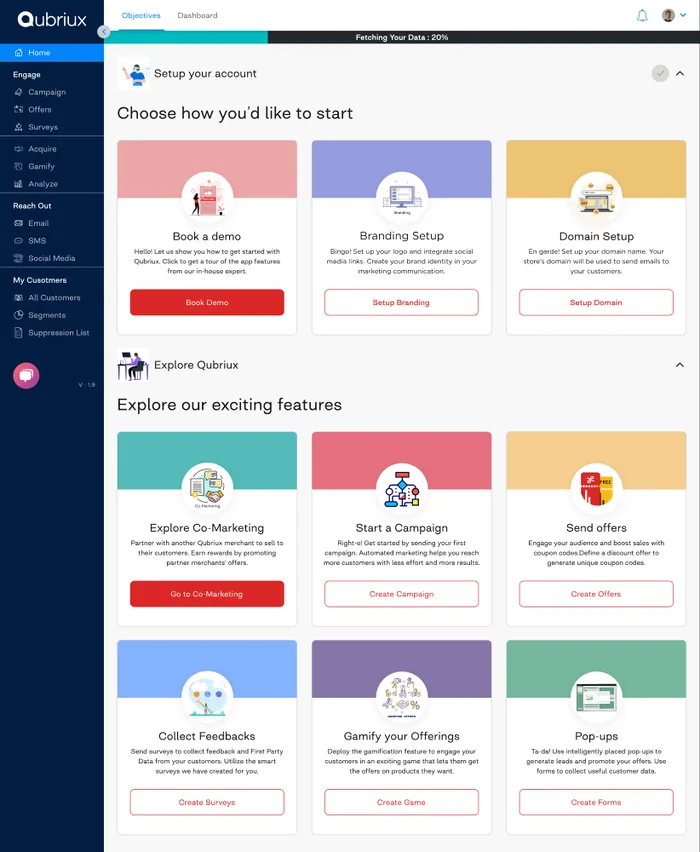
The home page became a list of things to do.
Objectives gave merchants something useful while the import ran. Version one had three big cards and couldn’t show enough of the platform, so I split it into set up your account and explore the features.
A first run for every feature
What it does, how it works, where to start.
Every section opened with a short explanation and preset templates, so no page started empty.

The result
More merchants stayed.
The client called out the new onboarding and its small details by name.