Qubriux · Skellam
One platform, built from zero
Beyond onboarding, I designed all of Qubriux: navigation, segments and every builder. Each builder starts with the merchant’s first question: campaigns with who, offers with what, forms with when.
Role
Sole product designer
Team
CEO, 1 PM, 3–4 engineers
Timeline
2021–2022
Scope
Web app + 2 mobile apps
Areas of influence
Navigation and segments
Campaign, offer and form builders
AI Autopilot for games
Co-marketing
Highlights
Targeting Tactics, singled out by the client
Campaign 3.0: menus open where you click
AI that merchants can switch off
Scroll to move through the story
Segments with a plan
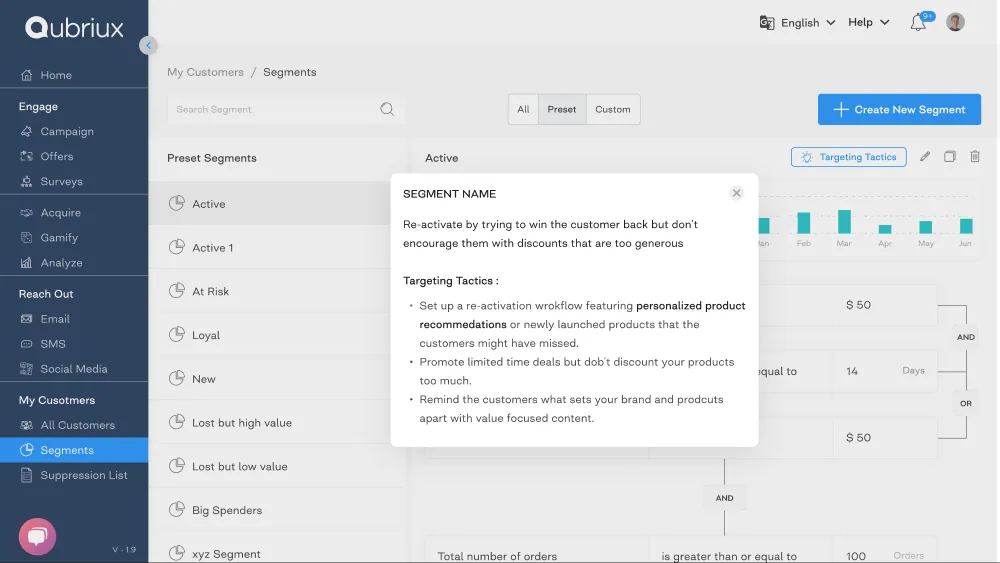
Every preset segment came with Targeting Tactics.
Active, At Risk, Loyal, Big Spenders: each came with the intent for that segment and three concrete moves. The client singled this out.
Campaign 3.0
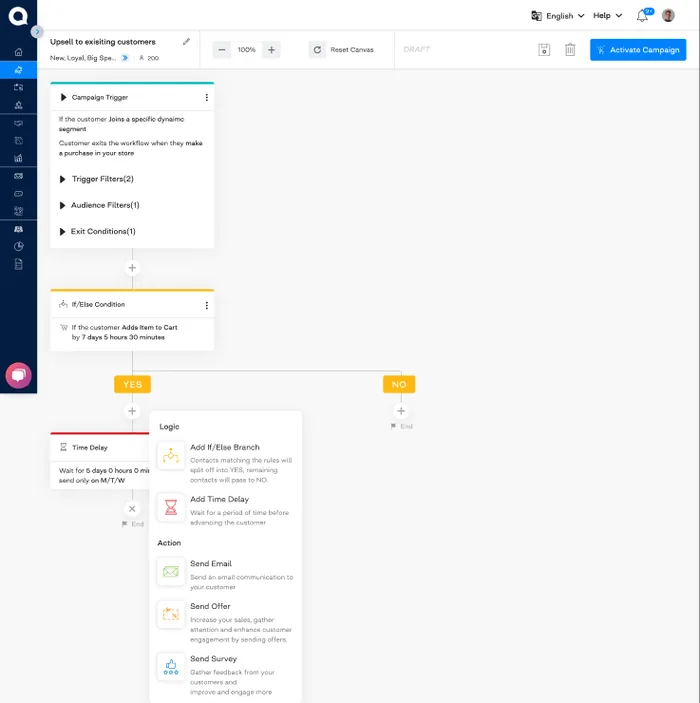
The choice appears where you click.
My last redesign before leaving. The + opens its menu right on the branch instead of a panel across the screen, so every step of a long flow is a shorter trip.
Proximity
The menu sits next to the step it changes.
Progressive disclosure
Options appear only when you ask for them.
Fitts's law
A shorter trip from the click to the choice.
AI on autopilot
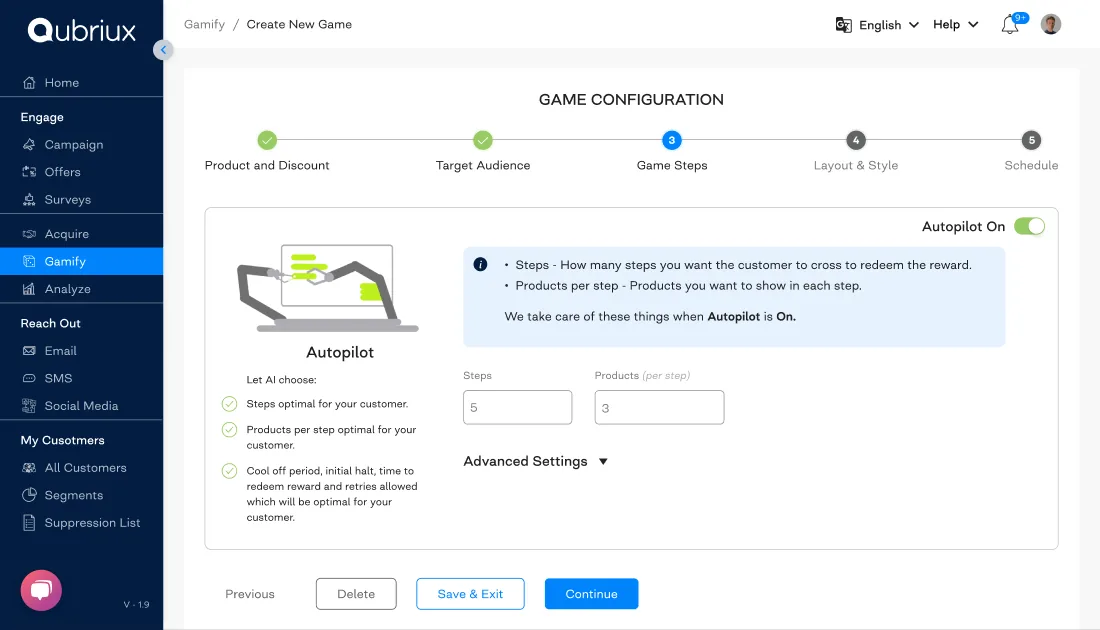
A shopping game the AI can run for you.
A timed shopping game for stores. Autopilot lets AI pick steps, products and timings per customer, pushing best-sellers or slow-moving stock. Merchants can switch it off and set everything by hand.
Co-marketing
Stores promoting each other.
Spend ₹1,500 at one store, get 10% off at its partner. The first screen explains it in one sentence and offers two paths: invite a store, or add one already on Qubriux.

Qffer
The same offers, at the store counter.
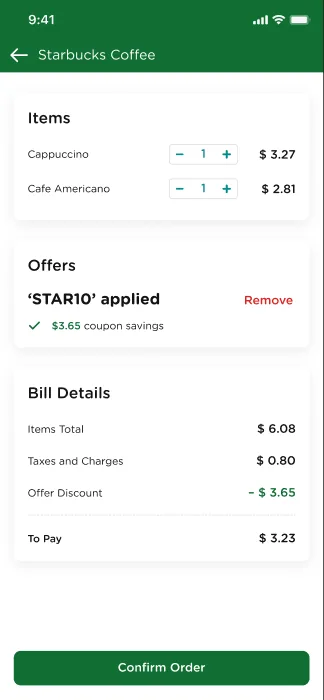
Two mobile apps for physical stores: merchants run offers, shoppers find them nearby and redeem them.
Read the Qffer case study →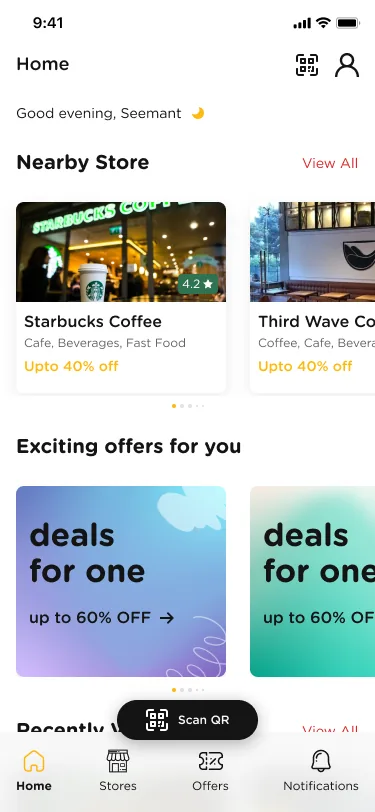
What I’d change
Two lessons, both about keeping context visible.
The form preview was on the wrong side. I put the preview left and the controls right. Merchants lived in Shopify’s theme editor, with settings on the left, so it broke Jakob’s law.
Targeting Tactics should have been a popover. The modal covered the segment rules the merchant was trying to understand.
What I shipped
What I’d ship now